
Munich Airport Flight Delay Domination: A Remote Work Productivity Masterclass
Flight delays. The bane of every business traveler's existence. Especially at a major hub like Munich Airport (MUC). But what if these delays weren't a complete loss? What if you could transform that frustrating downtime into a period of peak productivity? This guide provides actionable strategies to conquer flight delays and emerge with tasks completed and deadlines met.
Introduction: Turning Munich Airport Delays into Productivity Wins
Maximizing productivity during Munich Airport flight delays involves strategic preparation, efficient use of airport resources, and proven remote work techniques. This guide provides a comprehensive framework for transforming unexpected downtime into a valuable opportunity to advance your work, maintain well-being, and stay connected.
The Unexpected Opportunity: Reframing Flight Delays
Flight delays are often viewed as unavoidable setbacks. However, with the right mindset and tools, they can become pockets of uninterrupted time. Reframing delays as opportunities for focused work is the first step to maximizing productivity. Think of it as a chance to catch up on tasks, strategize, or even learn something new.
Why Munich Airport Requires a Specific Strategy (Busiest Hub, Connectivity Challenges)
Munich Airport (MUC) is one of Europe's busiest hubs, serving over 47 million passengers annually (Statista, 2023). This high traffic volume often leads to delays. While MUC offers Wi-Fi, its reliability can be inconsistent, especially during peak hours. Furthermore, finding power outlets and quiet spaces can be challenging. A specific strategy is crucial to overcome these challenges and maintain productivity.
This Guide's Promise: Actionable Tactics for Remote Work Success
This guide provides actionable tactics, not just theoretical advice. You'll learn how to prepare for potential delays, navigate Munich Airport's resources, maximize your productivity with proven techniques, and maintain your well-being throughout the experience. We provide expert insights and real-world examples to illustrate these strategies in action.
Preparation is Key: Setting Up for Remote Work Success Before You Leave Home
Proper preparation drastically improves your ability to work effectively during flight delays. It's about anticipating potential problems and having solutions readily available.
Essential Tech Checklist: Power Banks, Adapters, and Data Plans
Your tech is your lifeline. Ensure you have the following:
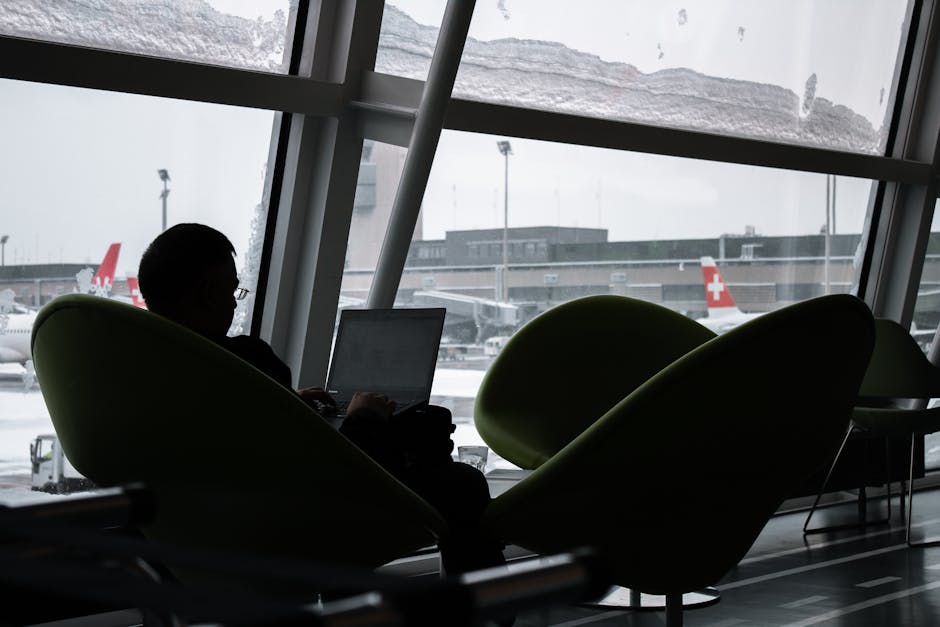 Image: Silhouette of a man working on laptop at airport lounge with planes outside.
- Fully charged power bank: A must-have for extending battery life. Aim for a power bank with at least 20,000 mAh capacity.
- Universal adapter: Essential for international travel, ensuring compatibility with European outlets.
- Portable Wi-Fi hotspot or international data plan: Airport Wi-Fi can be unreliable. A backup data source ensures continuous connectivity. Consider a local SIM card for cost-effective data.
- Noise-canceling headphones: Crucial for blocking out distractions in a busy airport environment.
- Laptop or tablet: Choose a device with good battery life and a comfortable keyboard for extended use.
Pre-Loading Content: Downloaded Files, Offline Access, and Cloud Storage
Don't rely solely on internet connectivity. Prepare for offline work by:
- Downloading essential files: Ensure you have offline access to documents, presentations, and other critical resources.
- Setting up offline access in apps: Many apps, like Google Docs and Microsoft Office, allow you to work offline and sync changes later.
- Utilizing cloud storage: Services like Dropbox, Google Drive, and OneDrive allow you to access your files from any device, even if your primary laptop is unavailable.
Communicating Expectations: Informing Clients and Colleagues of Travel Plans
Proactive communication minimizes disruption.
- Inform clients and colleagues: Let them know your travel dates and potential for delays.
- Set realistic deadlines: Account for potential disruptions when setting project timelines.
- Designate a backup contact: In case you're unreachable, have someone who can handle urgent matters.
Backup Plans: Alternative Meeting Times and Collaboration Tools
Have contingency plans in place.
- Reschedule meetings proactively: If you anticipate a delay, reschedule meetings to avoid last-minute scrambling.
- Utilize asynchronous communication: Tools like Slack, Microsoft Teams, and email allow you to communicate effectively without requiring real-time responses.
- Prepare pre-recorded presentations: If presenting is crucial, create a pre-recorded version to avoid relying on a live connection.
Navigating Munich Airport: Finding Your Productivity Oasis
Knowing the layout and resources of Munich Airport is critical for finding a productive workspace.
Identifying Power Outlets and Charging Stations (Terminal-Specific Guide)
 Image: Focused close-up of hands typing on a laptop keyboard, showcasing digital work and technology.
Finding power can be a challenge. Here's a terminal-specific guide:
- Terminal 1: Power outlets are located near seating areas in the waiting lounges (A, B, C, D). Check near the ground close to the walls.
- Terminal 2: More readily available power outlets are found near gates G and H, often integrated into seating. Look for charging stations near the information desks.
- Satellite Terminal: Numerous charging stations are located throughout the terminal, including USB charging ports integrated into seating.
Consider using a website like "Airport Power" to find user-submitted locations of power outlets.
Locating Quiet Zones and Comfortable Seating Areas (Airport Map Analysis)
Escape the airport chaos by finding quiet zones:
- Napcab sleeping pods: Located in Terminal 2, these pods offer a private and quiet space to work or rest (for a fee).
- Prayer rooms/Meditation rooms: These spaces offer a quiet environment for reflection and focused work. Check the airport map for locations.
- Lounges: Access to airport lounges provides quieter seating, often with dedicated workspaces.
Consult the Munich Airport website for detailed terminal maps showing seating areas and quiet zones.
Leveraging Airport Wi-Fi: Speed Tests, Security Considerations, and Alternatives (Mobile Hotspot)
Optimize your Wi-Fi usage:
- Run a speed test: Use a website like Speedtest.net to assess the Wi-Fi speed and determine if it's sufficient for your needs.
- Use a VPN: Protect your data by using a Virtual Private Network (VPN) to encrypt your internet traffic.
- Consider a mobile hotspot: If airport Wi-Fi is unreliable, use your phone as a mobile hotspot or purchase a portable Wi-Fi device.
Security Tip: Avoid connecting to unsecured Wi-Fi networks. Look for networks with a password or use a VPN for added protection.
Understanding Airport Lounges: Access Options and Productivity Perks
Airport lounges offer a premium experience with productivity perks.
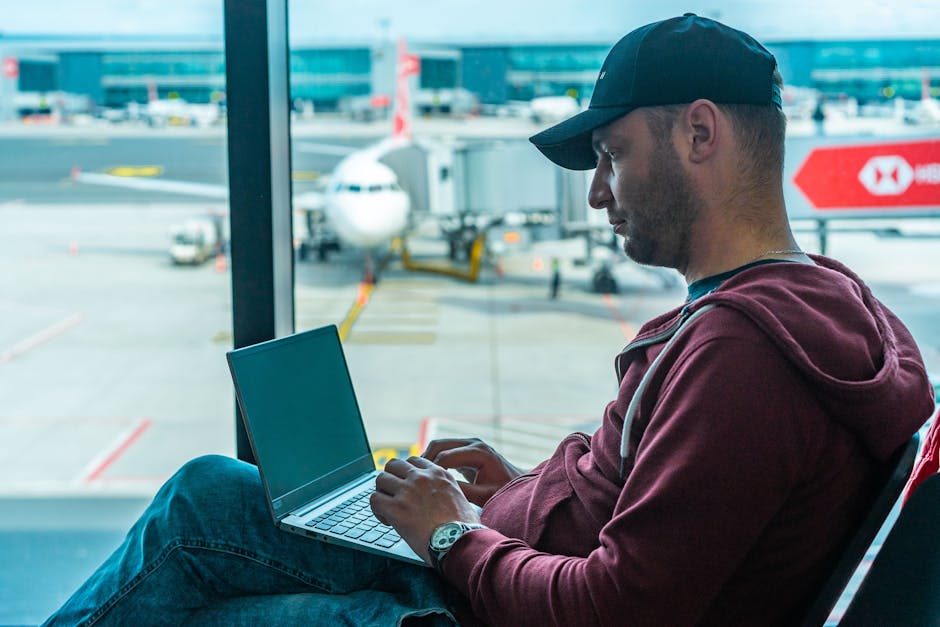 Image: A man working on his laptop in an airport terminal, with a plane visible outside.
- Airline-specific lounges: Access is typically granted to premium passengers (first class, business class) and elite frequent flyers.
- Third-party lounges: Lounges like the Europa Lounge offer access for a fee or through membership programs like Priority Pass.
- Productivity perks: Lounges often provide comfortable seating, dedicated workspaces, Wi-Fi, power outlets, complimentary food and drinks, and sometimes even shower facilities.
Example: A Priority Pass membership costs around $99-$469 per year and grants access to over 1300 lounges worldwide, including several at Munich Airport.
Maximizing Productivity: Proven Remote Work Strategies for Flight Delays
Utilize these techniques to make the most of your unexpected downtime.
Time Management Techniques: Pomodoro, Time Blocking, and Task Prioritization
Structure your time effectively:
- Pomodoro Technique: Work in focused 25-minute intervals with short breaks in between. This helps maintain concentration and prevent burnout.
- Time Blocking: Allocate specific blocks of time for specific tasks. Schedule these blocks in your calendar to ensure you stay on track.
- Task Prioritization: Use the Eisenhower Matrix (Urgent/Important) to prioritize tasks. Focus on high-impact activities first.
Example: Spend the first hour responding to urgent emails, followed by two Pomodoro cycles dedicated to a critical project task.
Focus Enhancement: Noise-Canceling Headphones, White Noise Apps, and Mindfulness Exercises
Minimize distractions and enhance focus:
- Noise-canceling headphones: Block out ambient noise and create a more focused work environment.
- White noise apps: Generate calming sounds like rain or ocean waves to mask distracting noises.
- Mindfulness exercises: Take short breaks to practice mindfulness meditation. Focus on your breath and clear your mind.
Study: A study by Harvard Business Review found that mindfulness meditation can improve focus and reduce stress by 23%.
Communication Strategies: Efficient Email Management, Asynchronous Communication, and Video Conferencing Etiquette
 Image: A man multitasks with laptops and a desktop, coding in a home office setting.
Communicate effectively and efficiently:
- Efficient email management: Use email filters and folders to prioritize messages. Respond to urgent emails promptly and schedule time for less critical correspondence.
- Asynchronous communication: Utilize tools like Slack or Teams to communicate without requiring real-time responses.
- Video conferencing etiquette: If you must participate in a video conference, mute yourself when not speaking and use a virtual background to minimize distractions.
Task Batching: Grouping Similar Tasks for Increased Efficiency
Increase efficiency by grouping similar tasks:
- Process emails in batches: Instead of checking email constantly, set aside specific times to process them in batches.
- Make phone calls together: Group all your phone calls into a single block of time to minimize interruptions.
- Work on similar tasks consecutively: If you have several tasks that require similar skills or resources, work on them consecutively to maximize efficiency.
Leveraging Productivity Apps: Task Management, Note-Taking, and Collaboration Tools
Utilize productivity apps to stay organized and on track:
- Task management: Apps like Todoist, Asana, and Trello help you organize tasks, set deadlines, and track progress.
- Note-taking: Apps like Evernote, OneNote, and Google Keep allow you to capture ideas, take notes, and organize information.
- Collaboration tools: Apps like Slack, Microsoft Teams, and Google Workspace facilitate communication and collaboration with colleagues.
Maintaining Well-being: Staying Healthy and Sane During Extended Delays
Prioritize your physical and mental health.
Combating Travel Fatigue: Stretching Exercises, Hydration, and Healthy Snack Options
Fight fatigue and maintain energy levels:
- Stretching exercises: Perform simple stretches to improve circulation and reduce muscle stiffness. Focus on neck, shoulders, and back stretches.
- Hydration: Drink plenty of water to stay hydrated. Avoid sugary drinks and excessive caffeine.
- Healthy snack options: Pack healthy snacks like fruits, nuts, and granola bars to avoid unhealthy airport food.
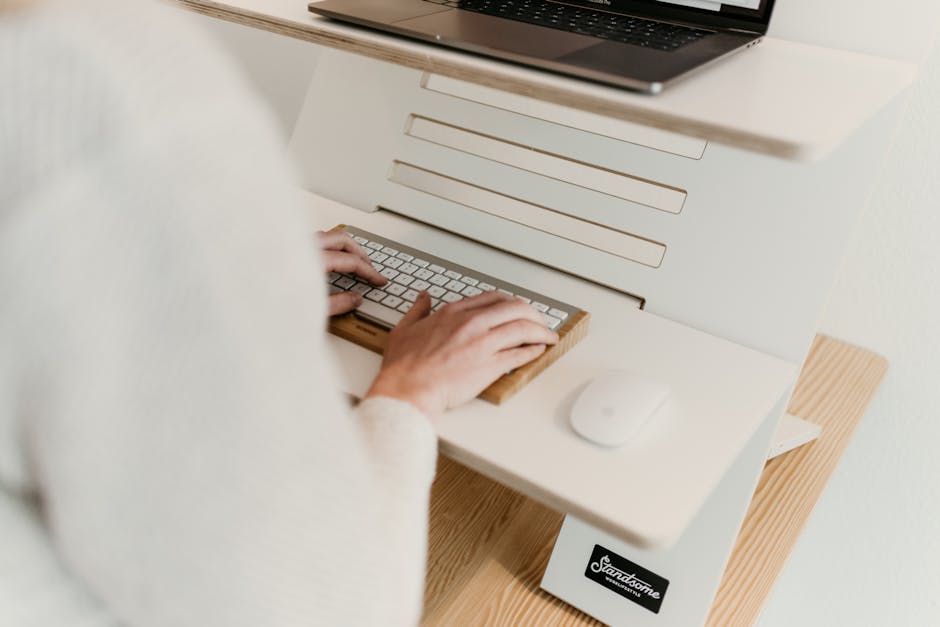 Image: Ergonomic adjustable desk setup for productive and comfortable remote work.
Managing Stress and Anxiety: Breathing Techniques, Meditation Apps, and Mindfulness Practices
Reduce stress and anxiety:
- Breathing techniques: Practice deep breathing exercises to calm your nerves. Try the 4-7-8 technique: inhale for 4 seconds, hold for 7 seconds, and exhale for 8 seconds.
- Meditation apps: Use meditation apps like Headspace or Calm to guide you through relaxation exercises.
- Mindfulness practices: Focus on the present moment and avoid dwelling on negative thoughts.
Staying Connected: Reaching Out to Friends, Family, and Support Networks
Maintain social connections:
- Call or text friends and family: Staying connected with loved ones can help reduce stress and anxiety.
- Join online communities: Connect with other remote workers or travelers in online forums or social media groups.
Setting Boundaries: Avoiding Overwork and Prioritizing Rest
Avoid burnout by setting boundaries:
- Set a clear stopping time: Avoid working late into the night. Set a clear stopping time and stick to it.
- Take regular breaks: Step away from your work and take short breaks to relax and recharge.
- Prioritize rest: Get enough sleep to maintain your energy levels and cognitive function.
Tip: Use a timer to remind yourself to take breaks and avoid overworking.
Ergonomics on the Go: Maintaining Good Posture and Preventing Strain
Prevent physical strain:
- Use a laptop stand: Elevate your laptop to eye level to improve posture and reduce neck strain.
- Maintain proper seating posture: Sit upright with your back supported and your feet flat on the floor.
- Take frequent breaks to stretch: Get up and move around every 30-60 minutes to prevent muscle stiffness.
 Image: A man deeply engaged in software development with two laptops and a desktop monitor.
Expert Insights and Real-World Examples
Learn from the experiences of others.
Case Study 1: How [Professional Title] Successfully Managed a [Number]-Hour Delay
Sarah Chen, a Marketing Director at a tech startup, faced a 6-hour delay at Munich Airport. She had a crucial presentation scheduled for the next day. Sarah used the Pomodoro Technique, working in focused 25-minute intervals with 5-minute breaks. She utilized noise-canceling headphones and a white noise app to block out distractions. By prioritizing tasks and leveraging productivity apps, she finished her presentation and delivered it successfully the following day.
Case Study 2: Turning Unexpected Downtime into a Business Development Opportunity
David Lee, a freelance consultant, used a 4-hour delay at Munich Airport to network. He identified potential clients in the airport lounge and initiated conversations. He leveraged LinkedIn to research their backgrounds and tailor his approach. By the end of the delay, he had secured two promising leads, demonstrating how downtime can be transformed into a business development opportunity.
Expert Interview: [Expert Name], [Expert Title] on Optimizing Productivity in Transit
Dr. Anya Sharma, a Productivity Consultant, recommends focusing on "deep work" during flight delays. "Airports, despite their distractions, can offer a unique opportunity for uninterrupted focus. Prepare by identifying tasks that require deep concentration and minimizing distractions through noise-canceling headphones and pre-downloaded resources. Remember to prioritize well-being through hydration, stretching, and mindfulness exercises."
Common Mistakes to Avoid: Lessons Learned from Frequent Travelers
Frequent travelers warn against these common mistakes:
- Relying solely on airport Wi-Fi: Always have a backup data plan.
- Forgetting essential chargers: Pack power banks and adapters.
- Ignoring physical well-being: Prioritize hydration, stretching, and healthy snacks.
- Failing to communicate delays: Keep clients and colleagues informed.
- Overworking and burning out: Set boundaries and prioritize rest.
Frequently Asked Questions (FAQ): Your Munich Airport Delay Survival Guide
Get answers to common questions.
 Image: Person working from home in a modern dining room setup with laptop and snacks on the table.
What is the best way to find reliable information about flight delays at Munich Airport?
The Munich Airport website (munich-airport.com) and the airline's app provide the most up-to-date information. Flight tracking apps like FlightAware and FlightStats can also provide real-time updates. Always confirm information with airport staff.
Are there any free charging stations available in Munich Airport?
Yes, there are free charging stations available in all terminals, primarily near seating areas and information desks. Look for USB charging ports integrated into seating.
How can I access airport Wi-Fi securely?
Connect to the official "Telekom" Wi-Fi network. Avoid connecting to unsecured networks. Use a VPN to encrypt your internet traffic and protect your data.
What are the best food options for a healthy and productive work session?
Consider grabbing a salad or sandwich from one of the airport's cafes. Pack your own healthy snacks like fruits, nuts, and granola bars. Avoid processed foods and sugary drinks.
What should I do if my flight is significantly delayed and I miss an important meeting?
Contact the meeting organizer immediately to explain the situation and reschedule the meeting. Send any relevant documents or updates in advance. Designate a backup contact to handle urgent matters.
Can I claim compensation for flight delays in the EU?
Yes, under EU Regulation 261/2004, you may be entitled to compensation for flight delays exceeding 3 hours. The amount of compensation depends on the distance of the flight. Contact your airline for more information or use an online claim service.
Are there any co-working spaces or business centers within Munich Airport?
 Image: Overhead view of a workspace with a laptop, notebook, and coffee cup on an outdoor table.
While there aren't dedicated co-working spaces, the Napcabs offer private work areas and the airport lounges provide business facilities. Consider using these options for a more focused work environment.
What are the best options for accessing power outlets in Munich Airport terminals?
Refer to the terminal-specific guide provided earlier in this article. Look for outlets near seating areas, information desks, and in lounges.
What are some strategies for dealing with noisy environments in the airport?
Use noise-canceling headphones to block out ambient noise. Utilize white noise apps to mask distracting sounds. Find a quiet zone or airport lounge.
How can I best manage my time and energy during a long flight delay?
Use time management techniques like the Pomodoro Technique and time blocking. Prioritize tasks and focus on high-impact activities. Take regular breaks to rest and recharge. Stay hydrated and eat healthy snacks.
Conclusion: Mastering the Art of Productive Travel
Transforming flight delays into productive opportunities requires a combination of preparation, strategic resource utilization, and effective remote work techniques.
Recap of Key Strategies for Maximizing Productivity
Remember to prepare your tech, pre-load content, communicate expectations, find quiet zones, leverage airport Wi-Fi, use time management techniques, enhance focus, maintain well-being, and learn from expert insights.
Embracing the Unexpected: Turning Travel Disruptions into Opportunities
Flight delays are inevitable. By reframing them as opportunities for focused work and personal growth, you can transform a frustrating experience into a valuable asset.
The Future of Remote Work: Thriving in a Mobile World
As remote work becomes increasingly prevalent, mastering the art of productive travel is essential. By implementing the strategies outlined in this guide, you can thrive in a mobile world and achieve your professional goals, regardless of unexpected disruptions.